
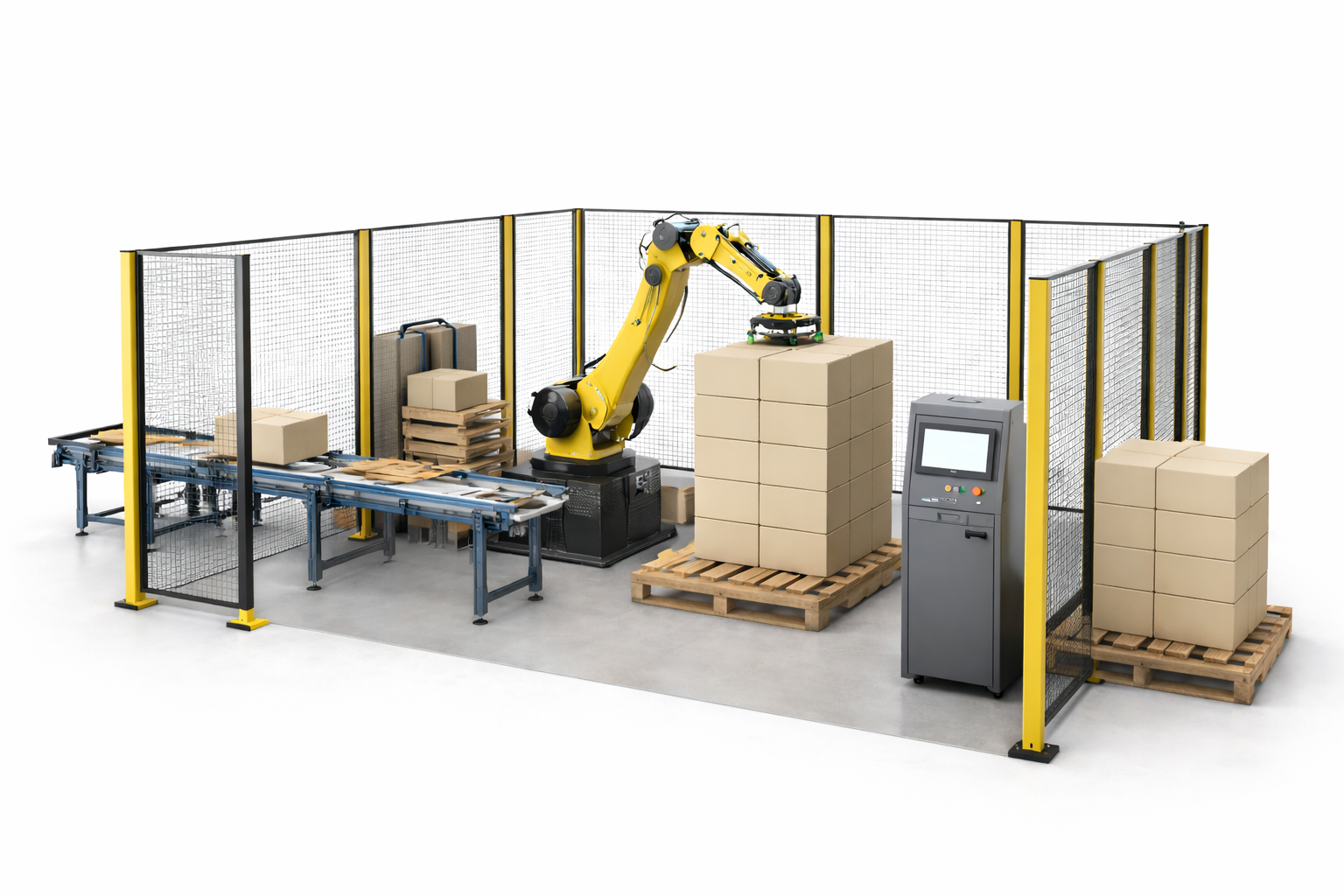
The basic idea behind a robotic palletising cell is actually quite simple, a robotic arm picks products off a conveyor and stacks them onto a pallet, layer by layer, until the pallet is full. What makes it interesting, and what determines whether a given cell is reliable, fast, and actually worth the investment, is everything around the arm.
A palletising cell is a system. The robot arm accounts for maybe 30–40% of what’s there. The rest of the system or cell is the infrastructure that makes the arm useful. The infeed conveyor to get product to the arm reliably and accurately, the end-of-arm-tooling so the product can be picked up without damage, the pallet dispenser, the control system and the safety guarding.
Want to get a better idea of whether your application is suitable for a robot palletiser? Try our handy palletising suitability calculator.
The robot arm
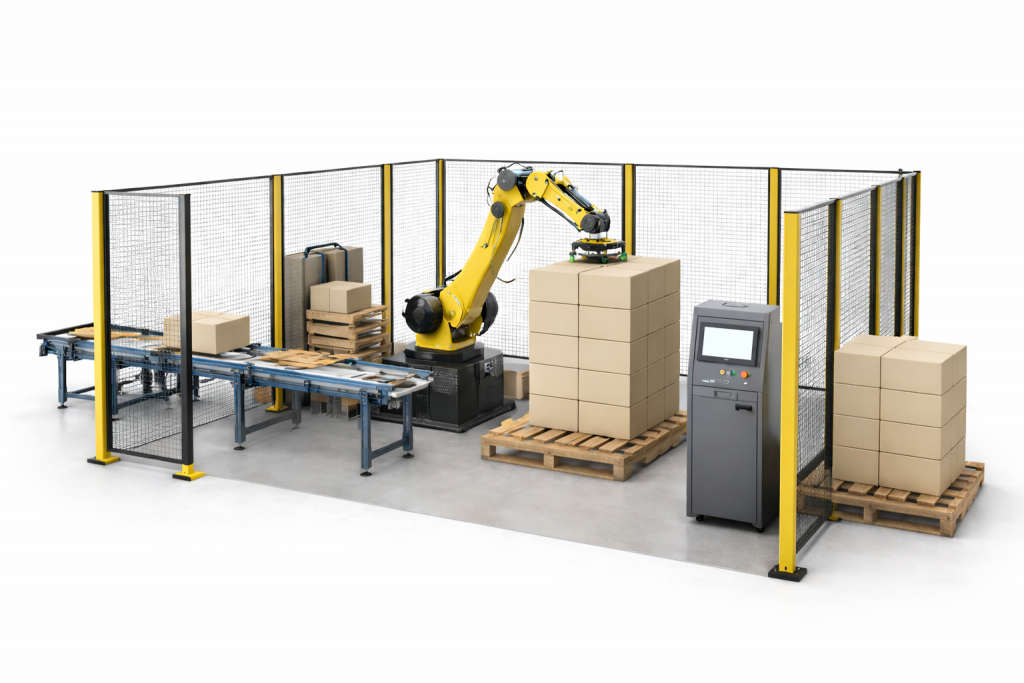
Most robot palletisers use articulated arms, either 4-axis or 6-axis. A 4-axis arm (sometimes marketed specifically as a palletising robot rather than a general-purpose industrial arm) is designed for layer-building tasks. It’s faster to program for standard palletising applications and generally cheaper than a 6-axis arm, but it can only reach and orient in ways that suit specific stacking tasks.
A 6-axis arm is more flexible than a 4-axis arm. This allows it to handle complex orientations, work around obstacles in your factory and be reprogrammed for other tasks if needed. If you’re palletising awkward shapes or want a system that can serve multiple functions, a 6-axis arm is usually the better starting point.
The arm is almost never running at its mechanical maximum. Palletising speed is governed by the cycle time your line requires and the programming priorities set by the integrator (you can run your throughput numbers through our palletising cycle time calculator). Gentle handling, consistent placement, and reliable pick success usually take precedence over running the arm as fast as it can go. A robot that places cases accurately at 800 cycles per hour is worth far more than one that places them roughly at 1,100.
End of arm tooling
The gripper, the part that physically touches your product, is arguably as important as the robot arm itself. Get the tooling wrong and you’ll drop cases, damage product, or find the robot struggling to pick reliably. Most palletising projects that underperform after installation have a tooling problem at their root.
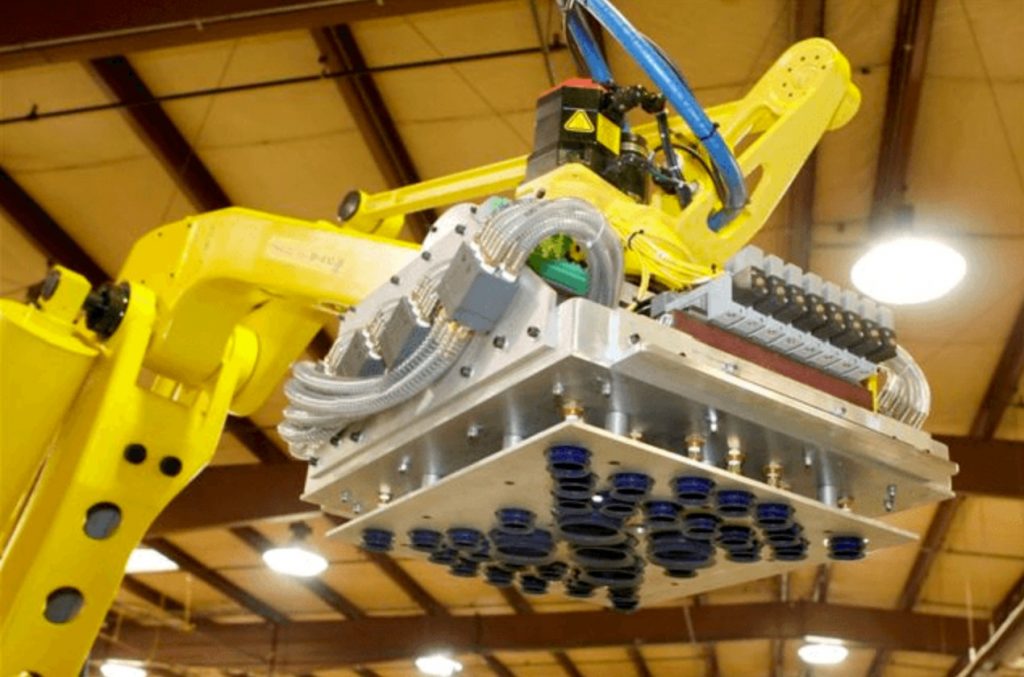
Vacuum grippers are the most common choice for standard corrugated cases. They’re reliable on smooth, uniform surfaces and relatively simple to maintain. Mechanical grippers (clamp-style) are better for bags, unstable loads, products with compromised surface integrity, or anything the vacuum can’t grip cleanly. Some integrators design combination tooling that can switch between product types within a single cell, useful if you’re palletising a range of formats.
Tooling is custom-specified for your product. The integrator needs to know what the product weighs, what surface it presents to the gripper, what orientation it arrives in and how it behaves at the edges of its spec (a badly sealed case is different from a perfect one). This is one of the reasons a thorough site survey is essential before any quote. Off-the-shelf tooling from a catalogue is rarely the right answer.
The conveyor infeed
Products will generally reach the robot via a conveyor. This sounds straightforward, but the infeed is doing more work than it appears. A staging section spaces and orients products before they reach the pick point, because the robot needs to know exactly where the product is and in what orientation before it can pick it reliably.
If your products arrive inconsistently oriented, straight off a wrapping or cartoning machine that doesn’t guarantee alignment, there’s usually an alignment station or a vision system in the infeed to correct this before the pick. The vision system (a camera and software that identifies the product’s position and orientation in real time) lets the robot adjust its pick on the fly rather than relying on perfect product positioning. It’s a cost-adder, but for lines with variable product presentation it’s usually worth it.
The infeed speed needs to match your upstream process. A robot faster than the conveyor feeding it is wasted capacity. A robot that can’t keep up with the infeed becomes the new bottleneck. Getting this right is one of the more important design decisions in the whole project.
Pallet dispenser
Empty pallets need to enter the cell somehow. A pallet magazine, a stacked feeder that releases one pallet at a time into position,
is the standard solution for medium and higher throughput cells. The dispenser is loaded periodically by a forklift or manually, and the cell handles the rest automatically.
Some simpler or lower-throughput cells have an operator place pallets manually. This works, but it introduces a human dependency: the robot can stack as fast as it wants, but if there’s no empty pallet waiting, it has to stop. Pallet dispensers remove that dependency and are generally worth the additional cost if the cell is expected to run unattended for any significant period.
Pallet pattern programming
A palletising robot doesn’t just “stack things”. It follows a specific pattern for each product, how cases are oriented layer by layer to create a stable and efficient pallet load. Most cells can store dozens of different pallet patterns and switch between them based on the product being run on the line.
How easy it is to add or change a pattern depends heavily on the control system and the robot type. Traditional industrial robots typically need a programmer to create new patterns, it’s not especially complex work, but it requires skill and access to the programming environment. Cobot cells are generally designed to be more accessible, with pattern software that a trained operator can use without specialist knowledge. For an operation that regularly adds new SKUs or changes customer requirements, that accessibility has real cost implications over time.
Safety guarding
For traditional industrial robot cells, the safety guarding is the perimeter fence that keeps people out while the robot is running. At the speeds an industrial robot operates, this is a legal requirement, not an optional extra. The fence needs to be interlocked so the robot stops if a door is opened, and the design needs to allow safe access for maintenance without creating a route for unplanned entry during operation.
Cobot cells are different. Collaborative robots are designed to detect unexpected contact and slow or stop before they can cause injury. This doesn’t mean cobots are unguarded, most cells still have area scanners and light curtains, but the guarding is typically lighter and takes up less floor space. For a detailed comparison of how these two approaches differ in practice and what they cost, the cobot vs traditional palletiser TCO post covers it thoroughly.
The control system and HMI
Most palletising cells are controlled by a central control system, typically a programmable logic controller (PLC) which manages the coordination between the robot itself, the infeeding conveyors, any pallet dispensers or pallet conveyros and safety equipment.
Operators interact with the system through a HMI (human-machine interface), a touchscreen panel which is used to start and stop the cell, choose pallet patterns and view fault messages, amongst other things.
The quality of the HMI has a bigger impact than it is often given credit for. A well-designed HMI interface makes the system easier to run and speeds up fault recovery. This then reduces the reliance on highly experienced operators. In contrast, a poorly designed or unclear interface will lead to increases in training requirements and can significantly extend downtime when issues do occur.
What the operator actually does
A palletising cell doesn’t run completely unattended, but the operator involvement is far less than manual palletising. The main tasks are pallet changeovers (removing a completed pallet and confirming a new empty one is in position, but this can be automated out), monitoring the cell during operation, and handling exceptions, a jammed product, an unusual case or a pattern change for a new SKU.
Most modern cells run unattended through a full pallet cycle. Changeovers take a few minutes. Exception handling depends on how reliable the upstream process is, a well-tuned line with consistent product quality means exceptions are rare. A line with frequent packaging variation or inconsistent product weights means exceptions are more common, and that’s worth factoring into your operational model.
For a full picture of how a palletising project runs, from initial survey through to commissioning and go-live, the palletising application guide covers the complete process. And if you’re at the point of wanting to explore what a cell like this would cost for your specific operation, the project matcher will connect you with UK integrators who’ve done exactly this kind of installation.